撰寫 C# Socket Client 不難
網路上 Google C# Socket 可以找到不少範例
難的是如何處理封包上更有效率
還有驗證,加密,定義封包格式規則等等。
更多功能就靠自己去摸索吧
撰寫 C# Socket Client 不難
網路上 Google C# Socket 可以找到不少範例
難的是如何處理封包上更有效率
還有驗證,加密,定義封包格式規則等等。
更多功能就靠自己去摸索吧
安裝 Android 網址
http://download.eclipse.org/tools/cdt/releases/indigo
匯出 .Jar
點擊專案檔 -> Export -> Java/JAR File -> Finish
快速鍵
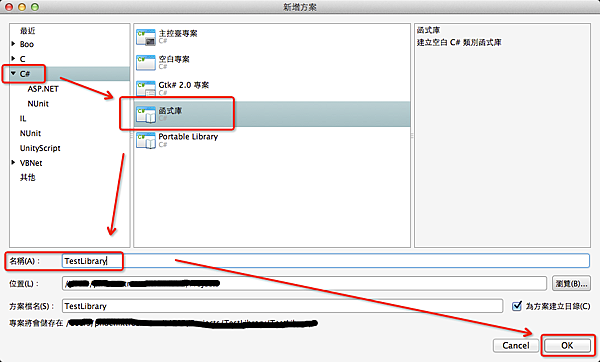
Unity - 範例 建立/使用 Mono DLL檔案
Step1 :
開啟 Monodevelop 新增方案 C# -> 函式庫 -> 建立
Step2 :
加入編輯參照 -> 路徑
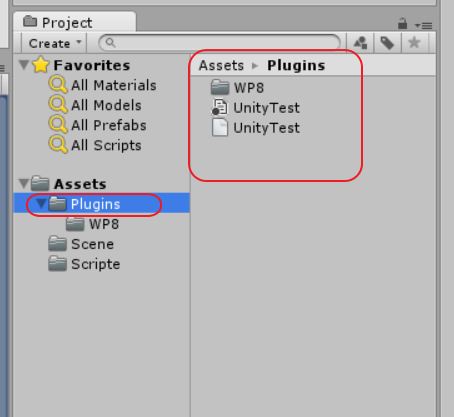
來開始製作 Unity 如何使用 Windows類型的插件
可分為假插件和真的插件(自創名詞可能跟別人不同)
簡單來說就是在 Edtior 讀取假的 .dll
意義就是像是 C# interface 感覺
Run實體機上時改為去抓真的 .dll
Links : Website
Easy user Notification.
Notifications are common, but requires a lot of attention to small details to get working.
If you just want easy user tools or a simple starting point, this package is your best choice.
Contains simple server side and simple client side code, a full simple how-to guide and a Unity scene example to get you started!
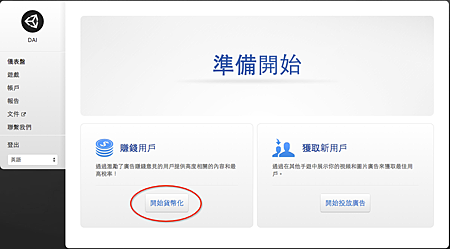
官方網址 https://unityads.unity3d.com/
Unity 開發想要搭配廣告軟體,這是可以很簡單就達成的Plugin
至少我用過的搭配中他是設置最少的,不過使用上也有許多限制
首先註冊完
登入選擇建立

建立 Eclipse 專案 for Unity 讀取 Jar用
下一步
注意 取消勾勾選項
Create custom launcher icon & Create activity 用不到
在src 建立 package & class

終於找到時間來研究 Unity 4.6 新UI
之前小編習慣用NGUI
Unity 4.6 增加不少好用的UI元件
讓我們來看看如何使用吧
首先最先要理解的就是 Canvas 這可是新UI的核心元件